[TP-25] Setting Temperature and Timer Follow

How do I set a temperature and a timer?
1. On the app's main screen tap the "Meat" button for the probe you would like to use.
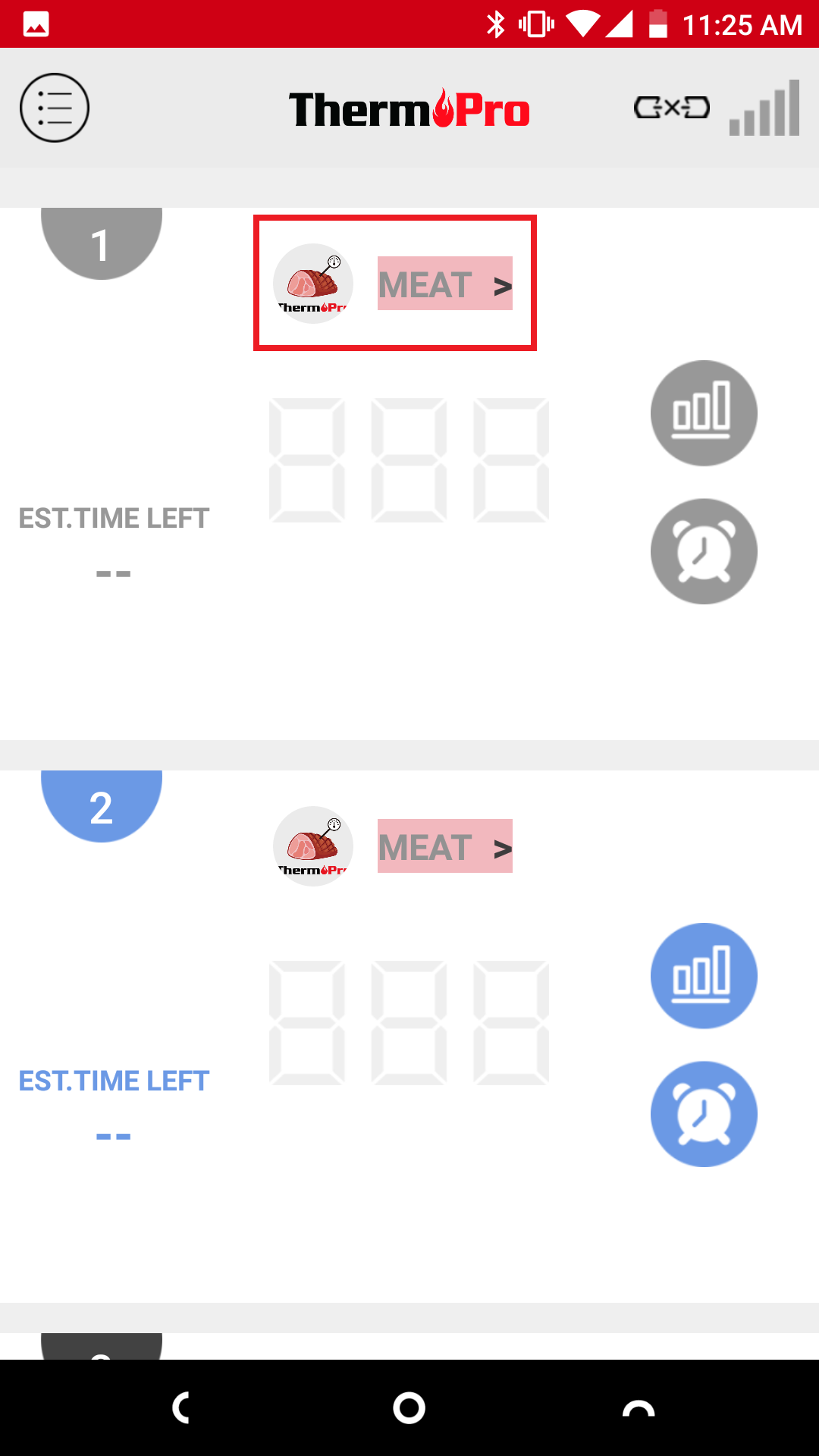
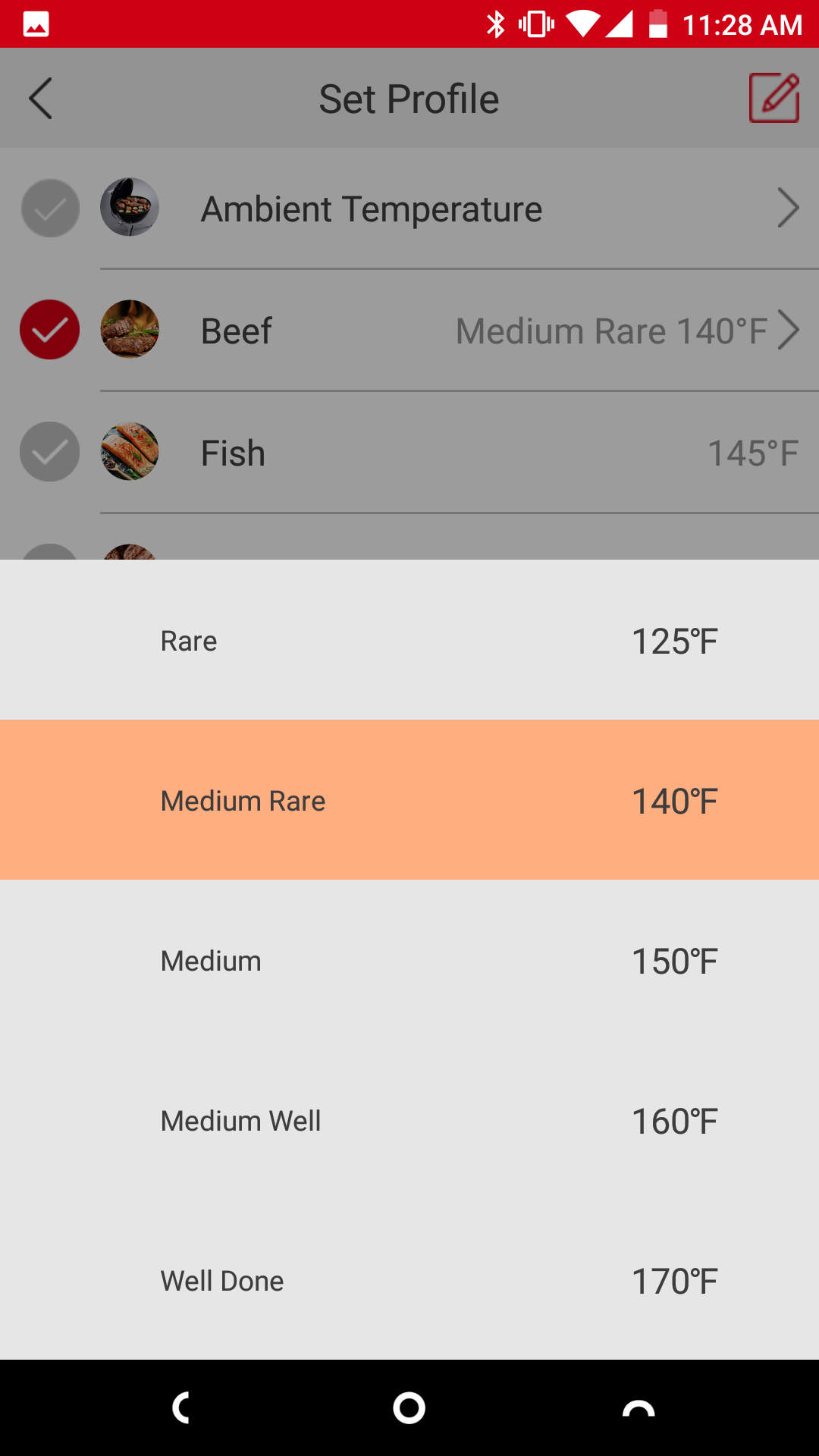
2. Select a type of meat then select how you would like it cooked:
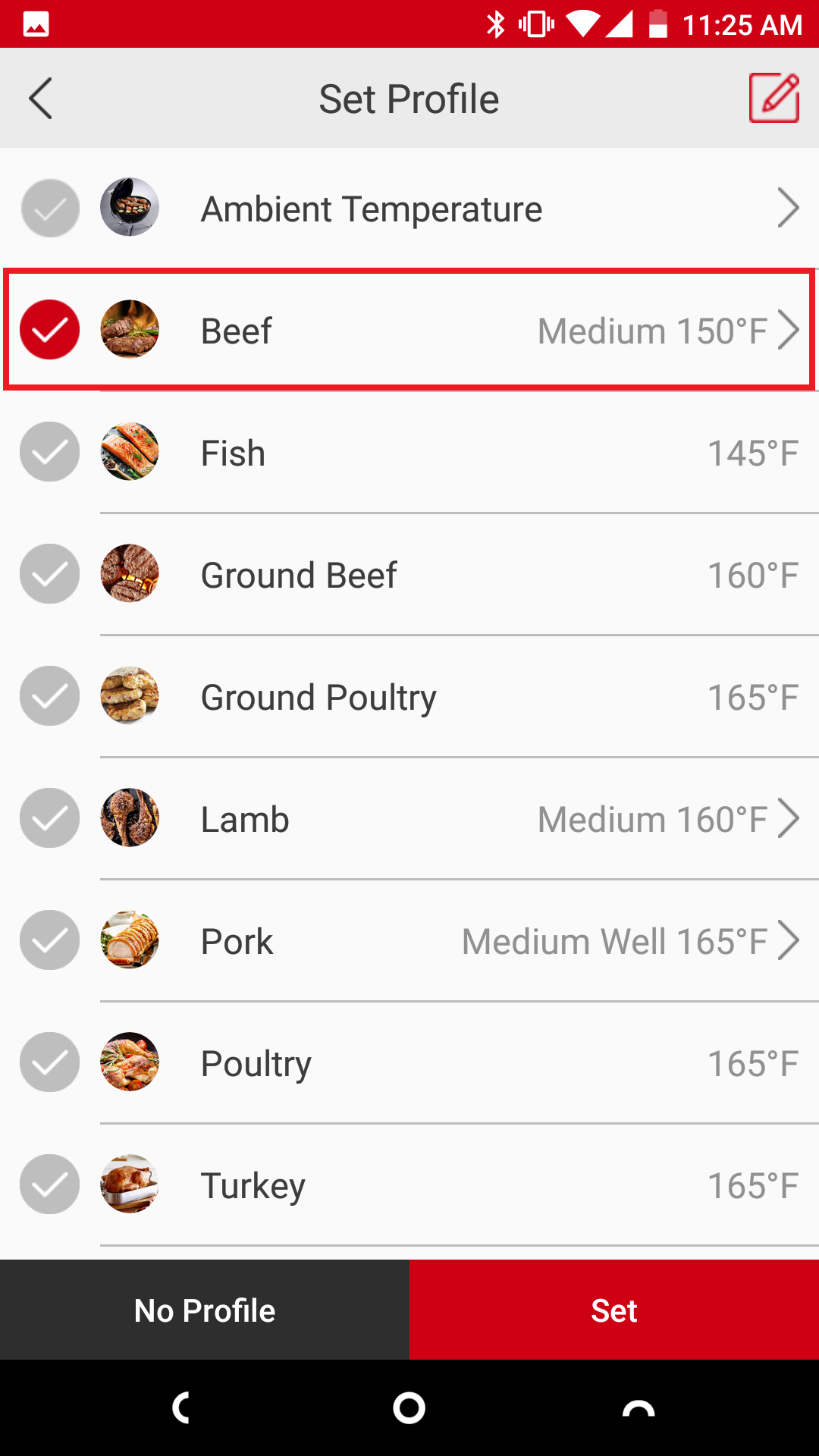
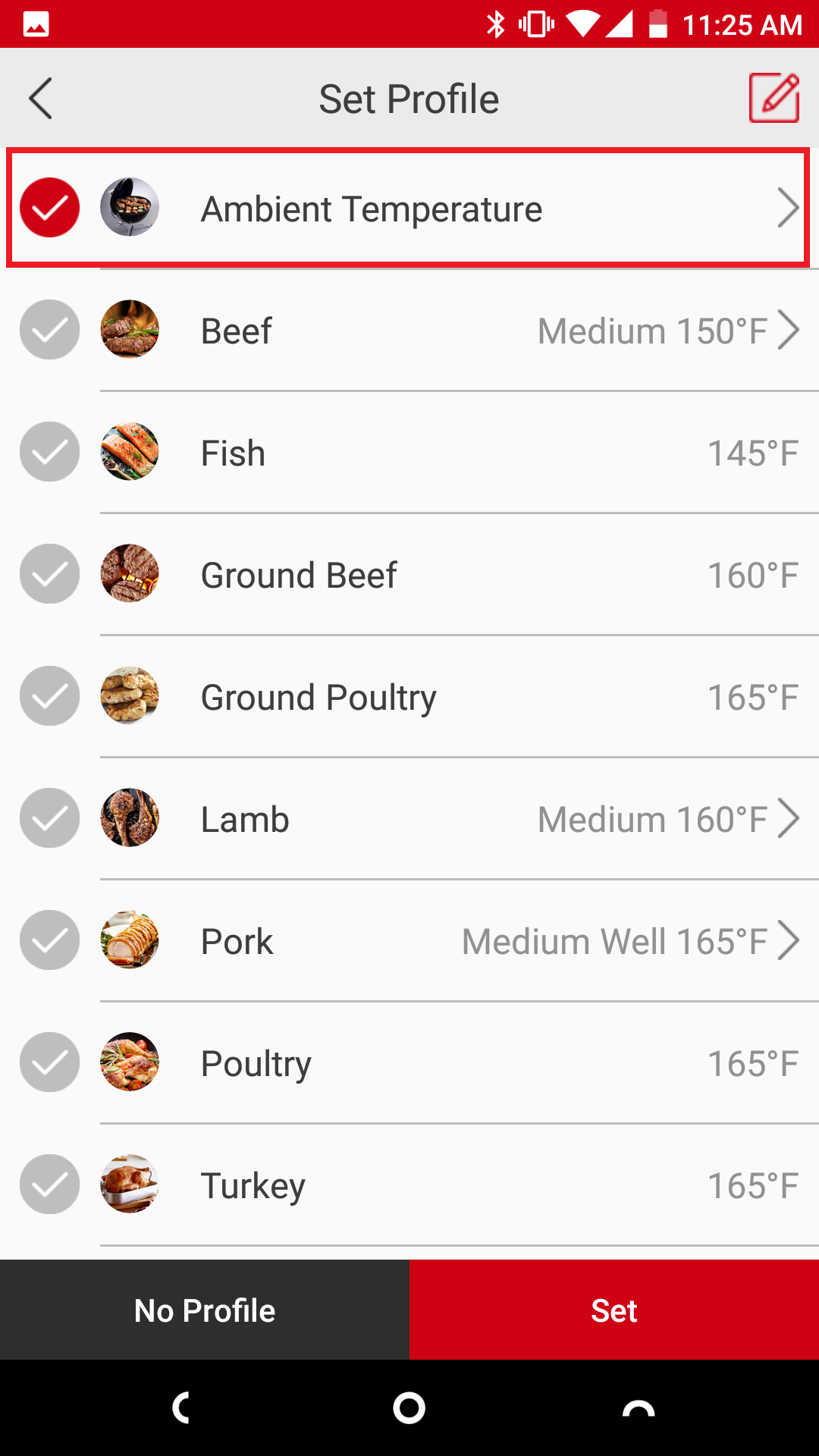
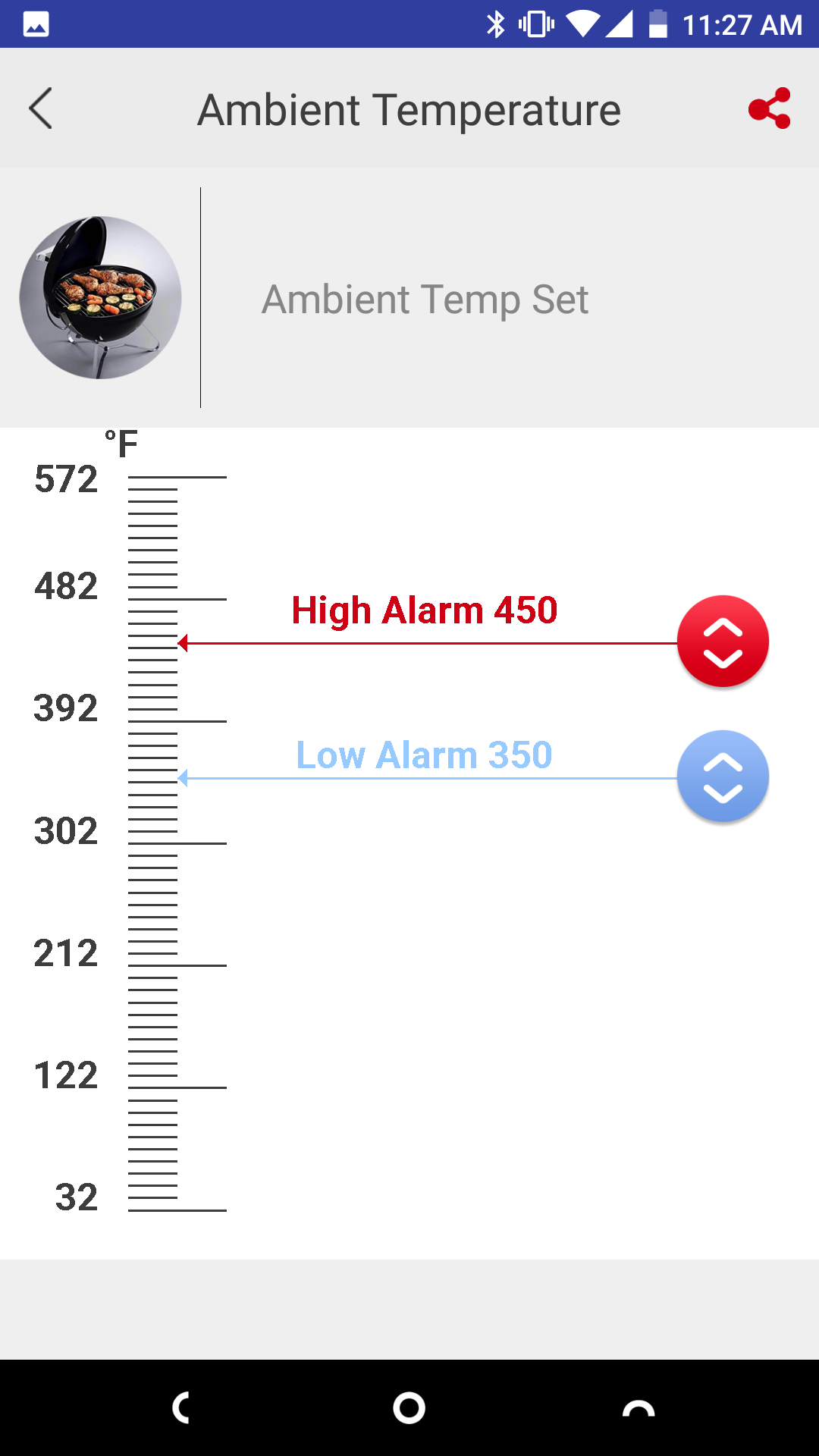
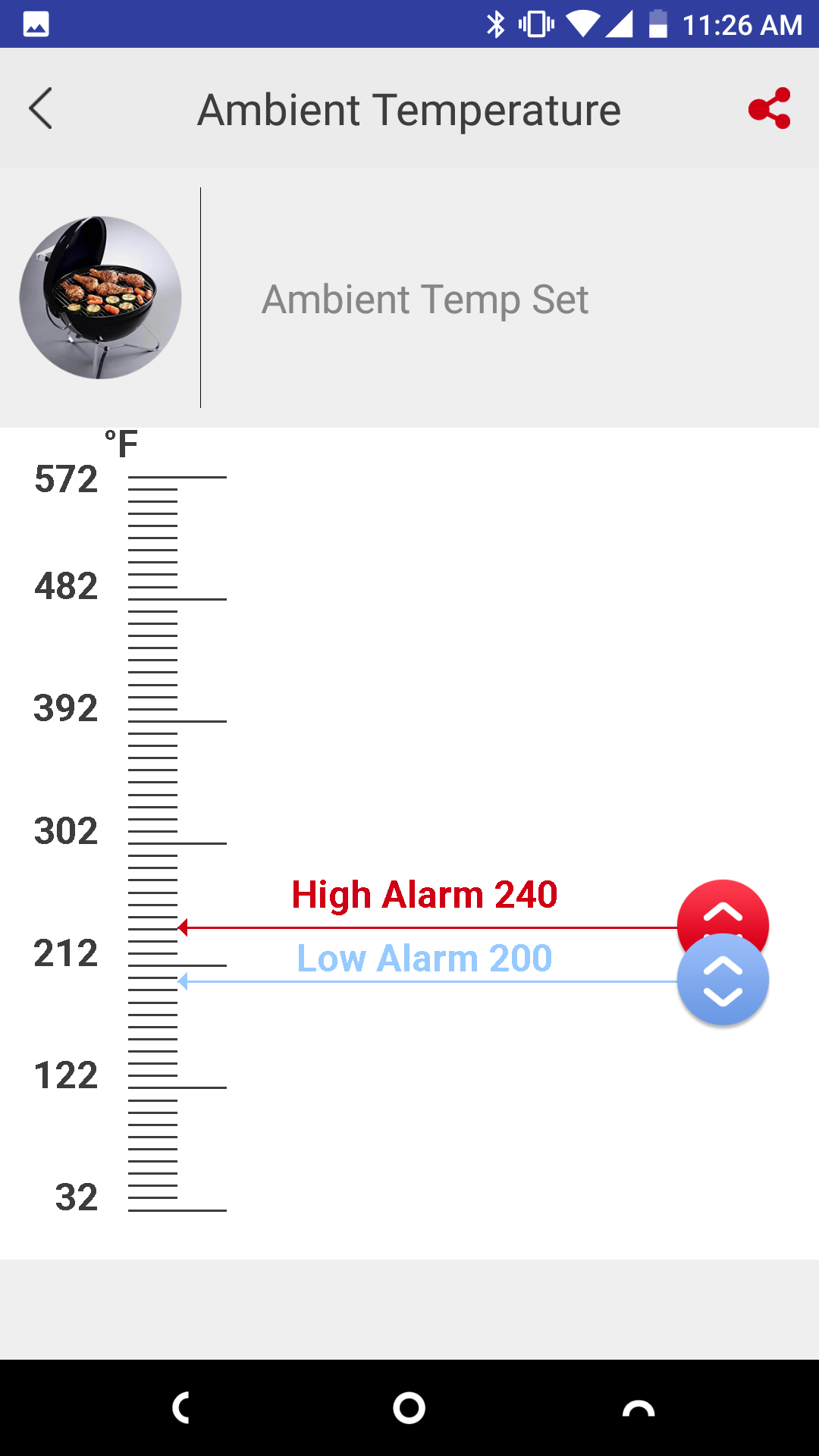
3. To set a range of temperature for your oven or smoker, select "Ambient Temperature" then slide the "High" and "Low" temperature lines to where you want them:
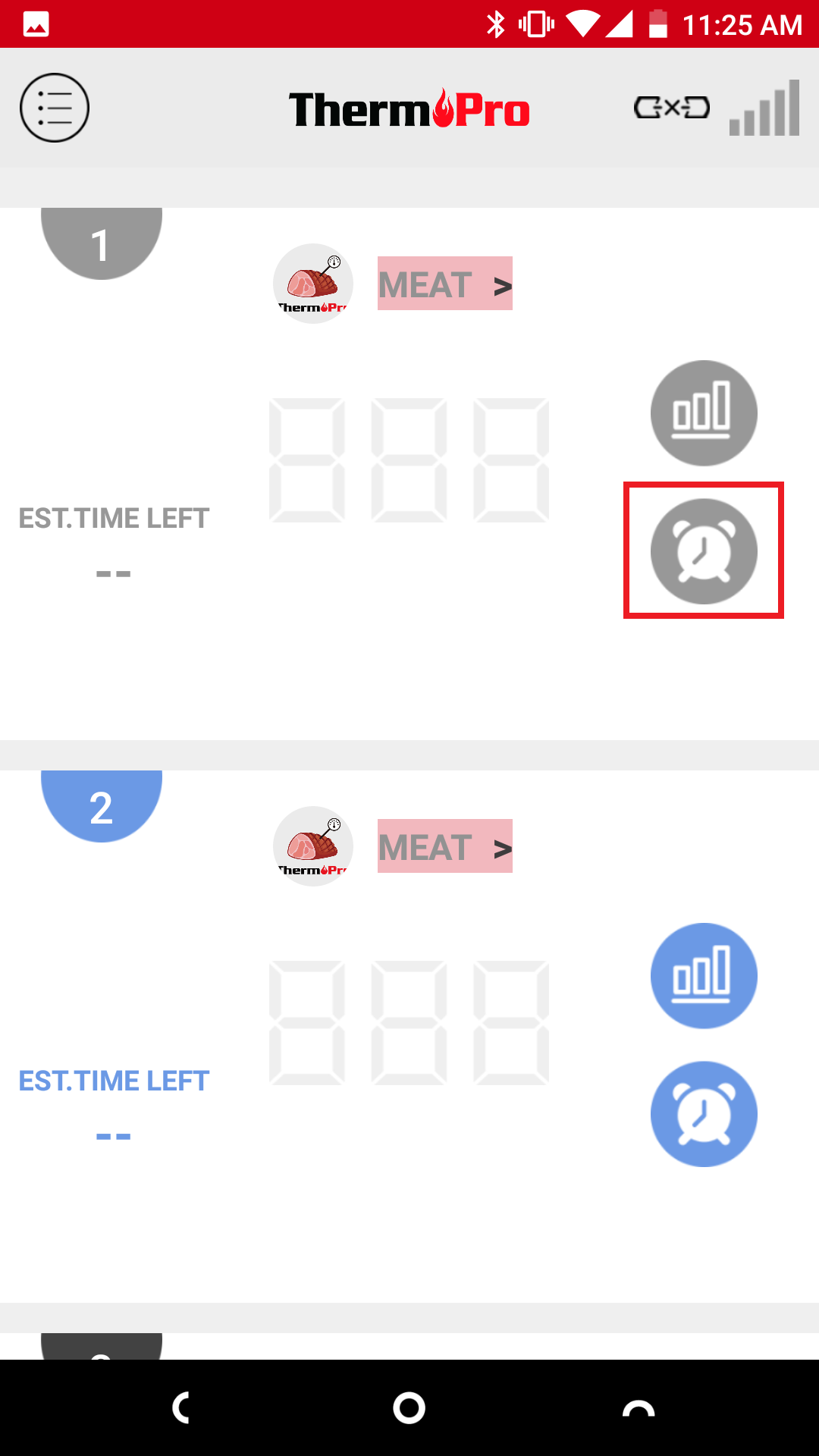
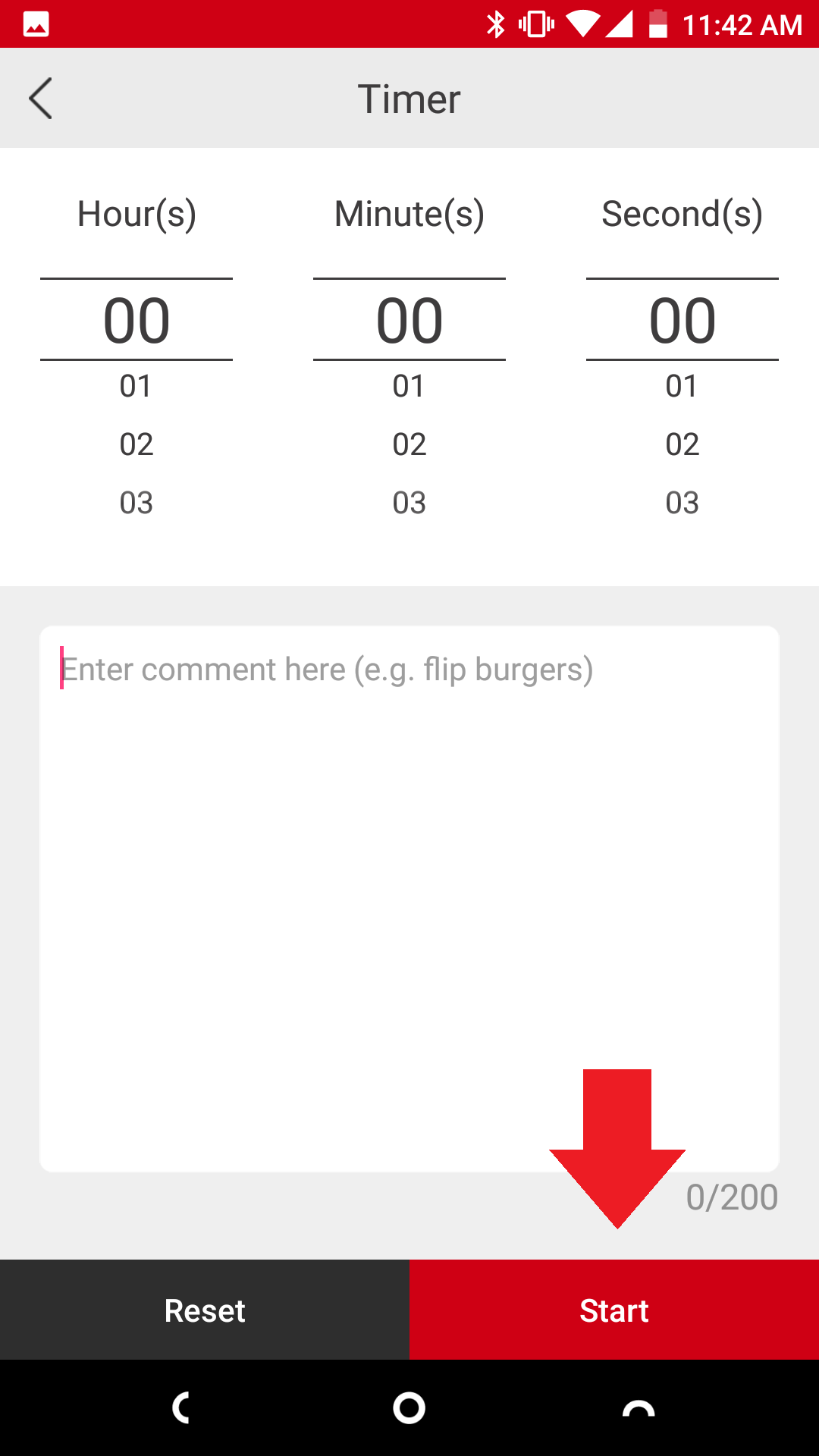
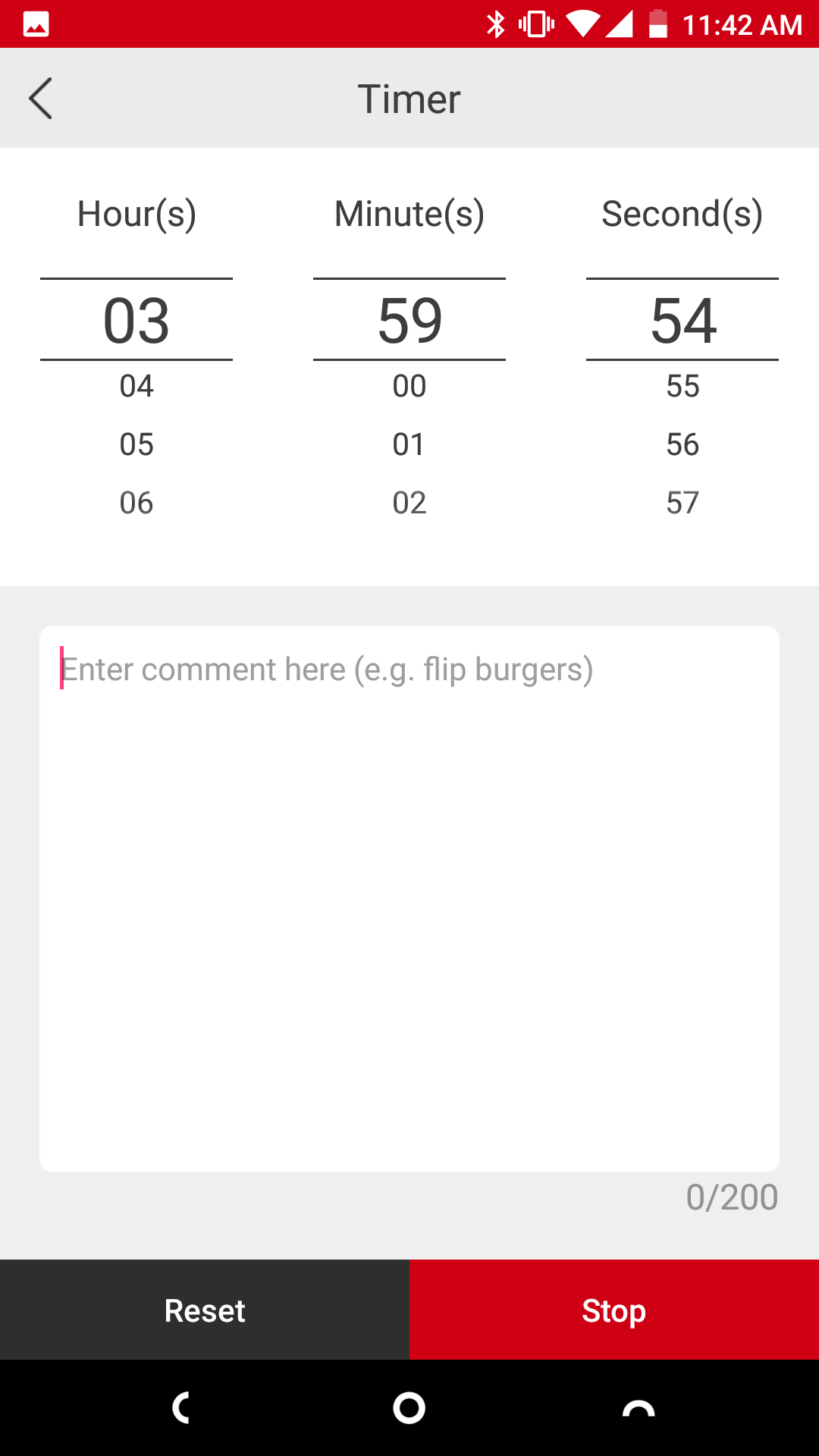
4. You could also add a timer alarm to go with the temperature alarm. Simply select the clock icon on the right side. Then set a time by scrolling to the desired number of hours, minutes and seconds. Then press start.
Comments
0 comments
Please sign in to leave a comment.